The product was built as a coordinated three-client system: a cartographic web editor for event preparation, a NestJS API that centralizes project domains and transfer workflows, and an offline-capable mobile application for field teams. The most interesting part of the project is not basic CRUD, but the way local map services, temporary QR transfer sessions, and mobile SQLite storage work together to support operational work under constrained connectivity.
Academic Product BuildFullstack / Internal Tools
Strassable
Operational planning platform for urban sports events with web-to-mobile field sync.
Strassable is a fullstack planning tool built for the Eurometropole of Strasbourg to prepare sports events on a map, assign teams and safety equipment, generate planning artifacts, and synchronize field operations to a mobile app through QR-based transfer sessions.
ReactTanStack RouterLeafletNestJSPrismaBetter AuthSQLite
Overview
Scope Indicators
Clients
3 coordinated apps
Sync model
QR transfer sessions
Map support
Local tiles + search
Field mode
Offline mobile storage
Key Highlights
Three coordinated clients: web editor, API, and field mobile app
QR-based synchronization between desktop planning and mobile operations
Local cartography services with tiles and address search
Offline mobile storage for imported projects and planning data
Technical Challenges
Meaningful Offline Support
Balancing local-first expectations with real-world constraints around routing, cartography assets, and synchronization timing.
Multi-Client Data Boundaries
Keeping the contracts between web, API, and mobile explicit while each client stores and manipulates a different slice of the workflow.
Operational UX on Dense Maps
Making routes, safety points, equipment, and timeline-based planning readable without collapsing into a generic admin interface.
Architecture
Operational Sync Architecture
Strassable combines a web map editor, local cartography services, QR-based transfer sessions, and an offline mobile field client.
City Ops
Event supervision and preparation
Map Editor
Projects, routes, teams, safety points
Transfer API
Domain orchestration and transfer endpoints
Field App
Offline mobile client for teams
Local Maps
MBTiles and local address search
Project DB
Projects, planning, equipment, photos
QR Bridge
Temporary sync session between clients
Field Data
Treated points, photos, team feedback
Event supervision starts in the web map editor
The API stores project, team, route, and equipment domains
Local tiles and address search keep cartography usable offline
QR sessions prepare controlled import and export flows
The mobile app works on local SQLite data in the field
Photos and treated points are sent back to the central project
Other Mechanics
Concrete interface states and short clips that show how the web editor, QR transfer flow, and field mobile experience work in practice.
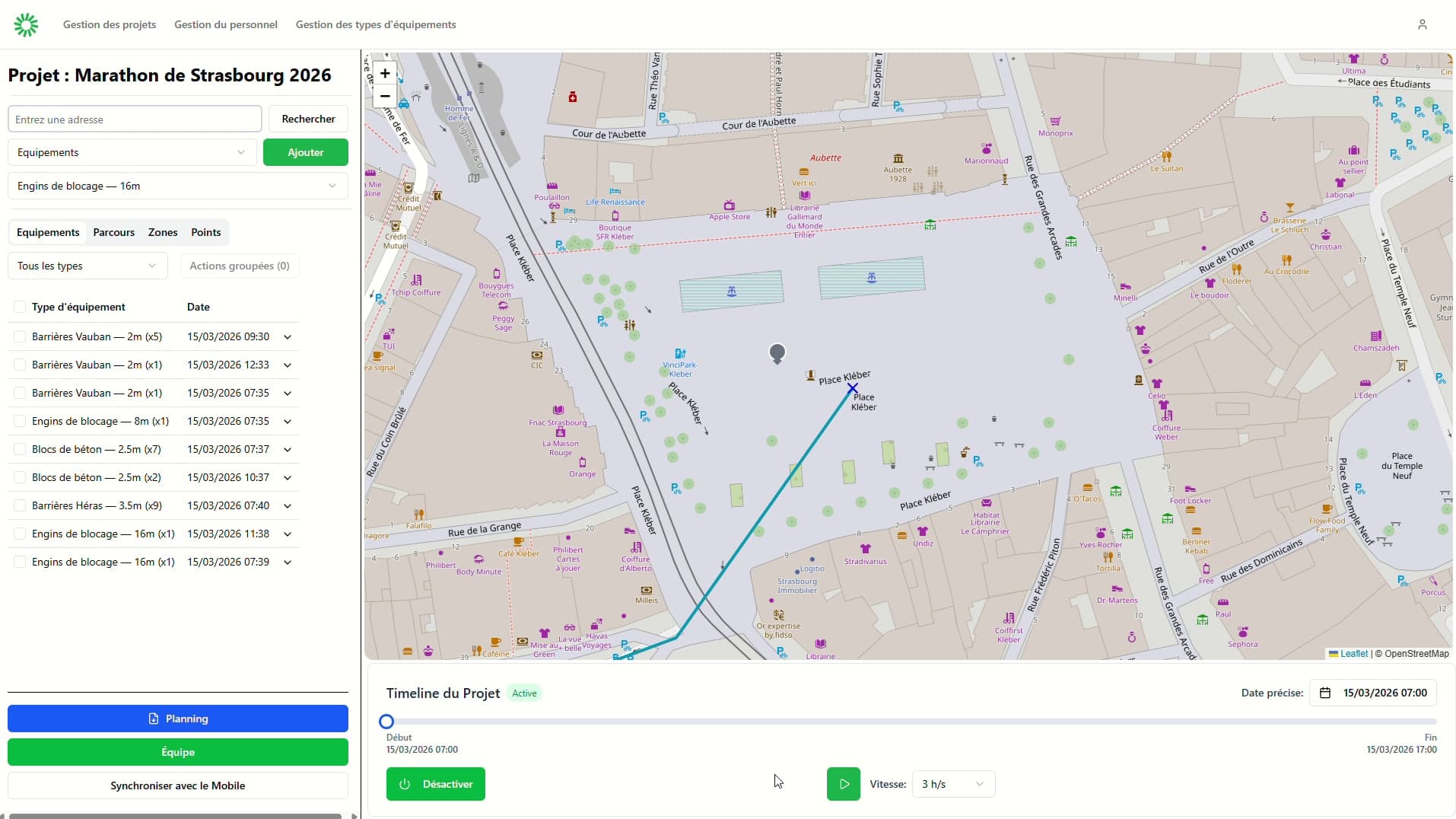
Cartographic web editor
The desktop interface is the preparation workspace: projects, map editing, timeline-based review, and operational supervision are kept in the same environment.
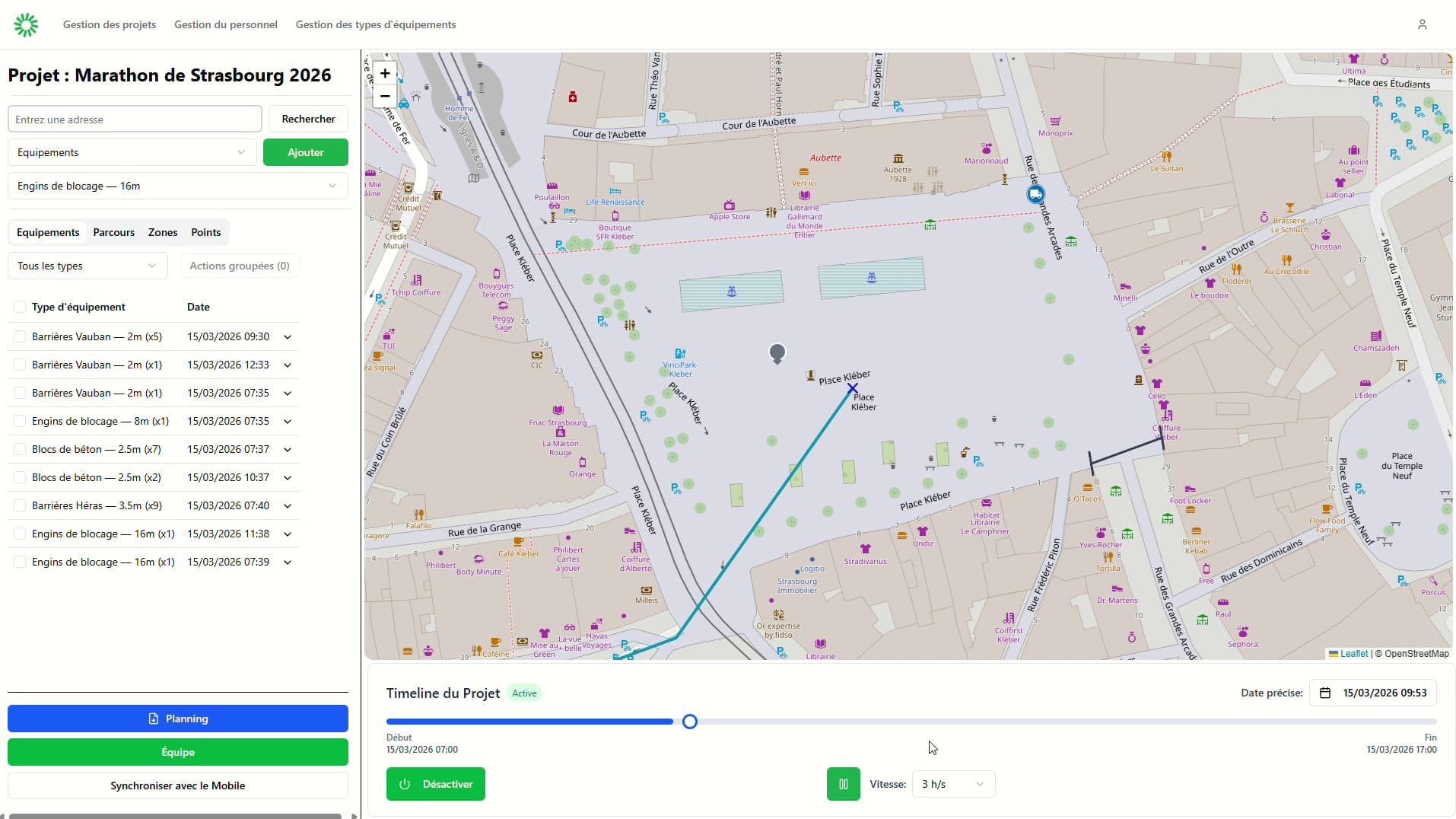
Timeline playback
A second web state focused on temporal reading and operational playback rather than static map editing.
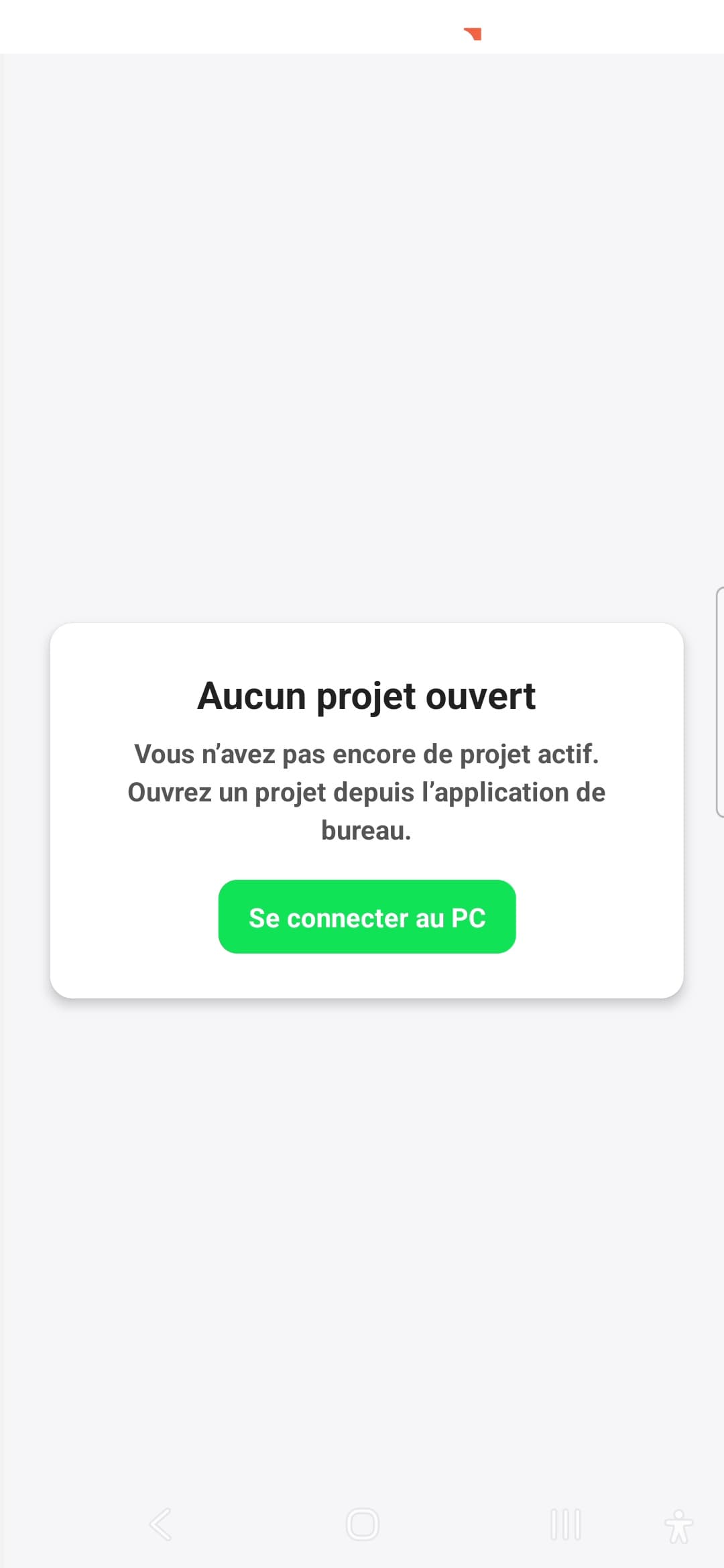
QR-based pairing
The mobile client does not simply call a generic API: it joins a temporary transfer session created from the web editor.
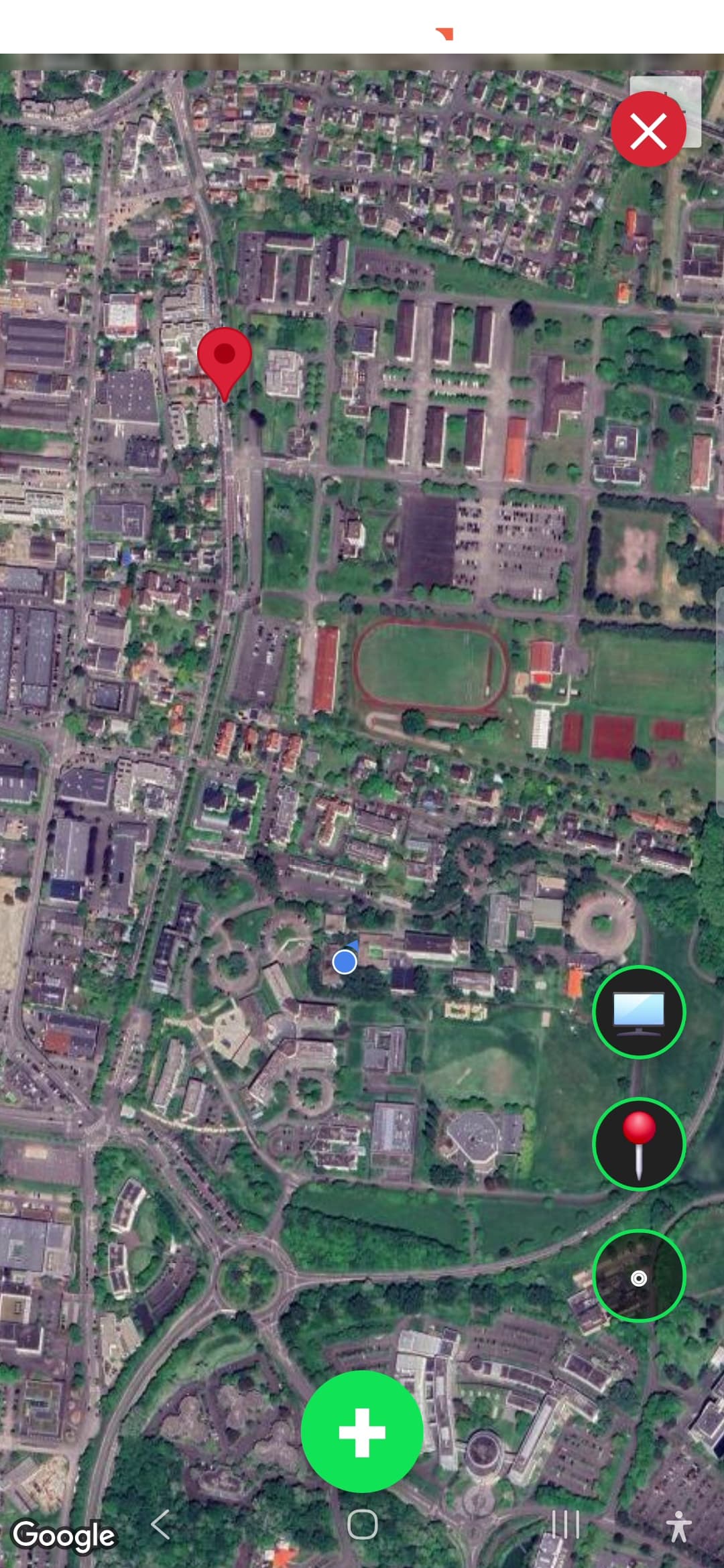
Field map
Once imported, the project can be consulted from the mobile app through a local-first map view tailored to field work.
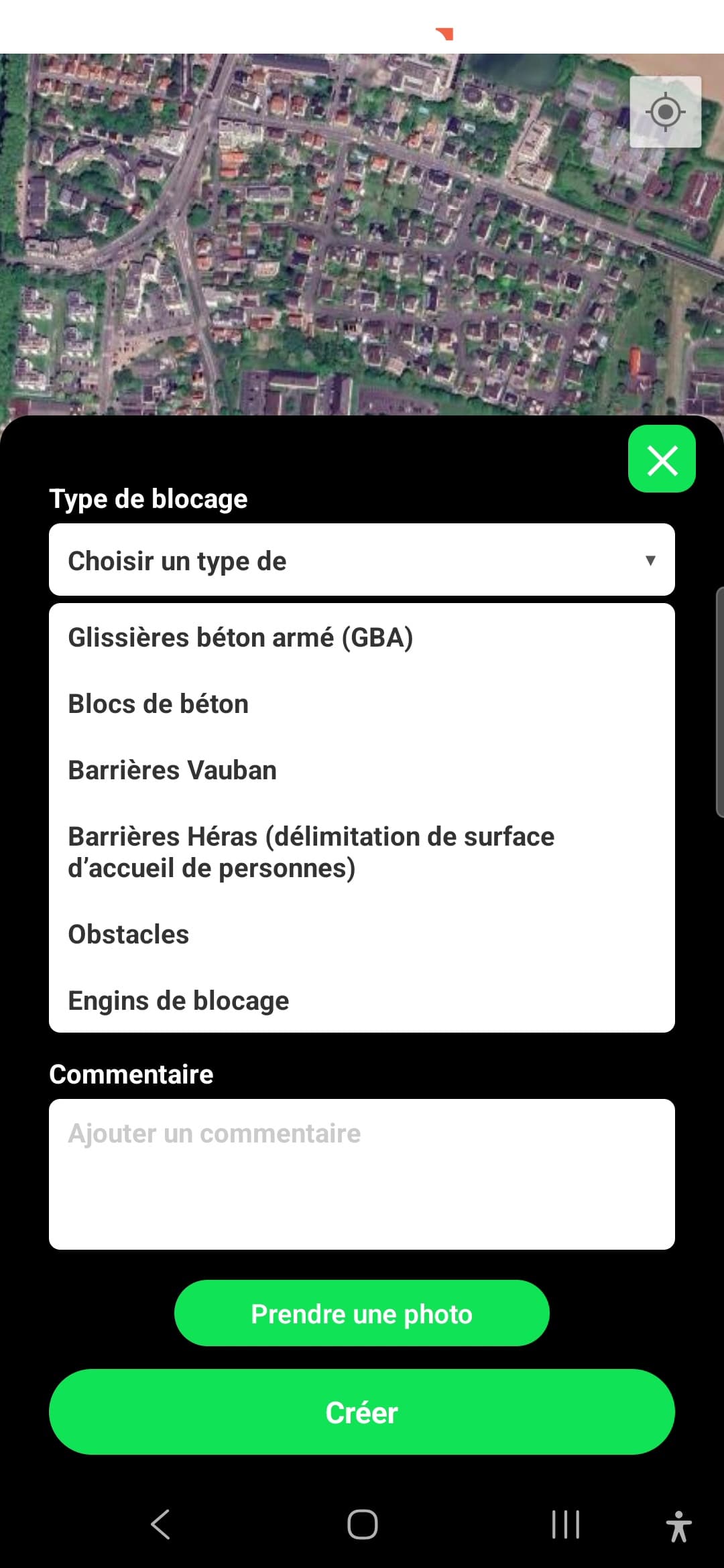
Field capture
The mobile side is not read-only: teams can structure field feedback and add points to secure directly from the app.
Transfer flow
Short clip showing the project import flow from the desktop product to the mobile client.
Mobile action
A compact demo of a real field action: creating and structuring a point directly from the mobile workflow.
Operational playback
Desktop clip focused on the temporal and operational reading of an event plan once the data has been prepared.
Deep Dive
Technical Challenges
The difficult part was coordination across clients, not basic CRUD.
+
Technical Challenges
The difficult part was coordination across clients, not basic CRUD.
The main challenge was to keep the web editor, backend API, and mobile field app synchronized without turning the system into a tightly coupled mess. The API had to own clear project domains and expose transfer endpoints that made sense for both import and return flows.
Offline support added another layer of complexity. Cartography had to remain usable locally, the mobile app needed SQLite-based local persistence, and the user flow still had to feel coherent once a project or planning snapshot had been imported in the field.
A third challenge was interface density. Routes, zones, teams, equipment, points to secure, and temporal playback all compete for attention on the same operational surface, so the UI had to stay readable while carrying a lot of structured information.
Architecture Choices
The three-client split is a product decision before being a technical one.
+
Architecture Choices
The three-client split is a product decision before being a technical one.
The product naturally maps to three responsibilities: a desktop-style preparation client, a backend that owns the domains and synchronization logic, and a mobile client focused on field execution. This separation is not cosmetic; it reflects how the real workflow operates.
On the backend side, the design keeps domain modules explicit around projects, transfers, teams, points, and safety equipment. On the mobile side, Expo SQLite and Drizzle were used to keep imported project data locally available instead of relying on a permanent connection.
The QR transfer bridge is also a deliberate choice. It makes the synchronization flow explicit and temporary, which fits the use case better than pretending the mobile app is just another thin frontend constantly connected to the same session.
Limits and Tradeoffs
The project is strong architecturally, but not uniformly finished everywhere.
+
Limits and Tradeoffs
The project is strong architecturally, but not uniformly finished everywhere.
Some historical documentation no longer reflects the current implementation, which creates noise when reading the project from the outside. That mismatch is worth acknowledging because it affects the perceived maturity of the codebase.
The offline story is strong on local tiles, local address search, and mobile storage, but less complete for some navigation-related behaviors that still depend on external routing services. That tension is important to mention honestly.
The project remains a very good portfolio case because it shows real fullstack architecture, multi-client synchronization, and product thinking under constraints, even if some edges are not yet polished to the same degree.